🚪 Exiting CSM Validators
Monitoring for exit requests from Lido
The Dashboard view provides a consolidated view of the status of your keys. Including the exit requests as shown on the image below.
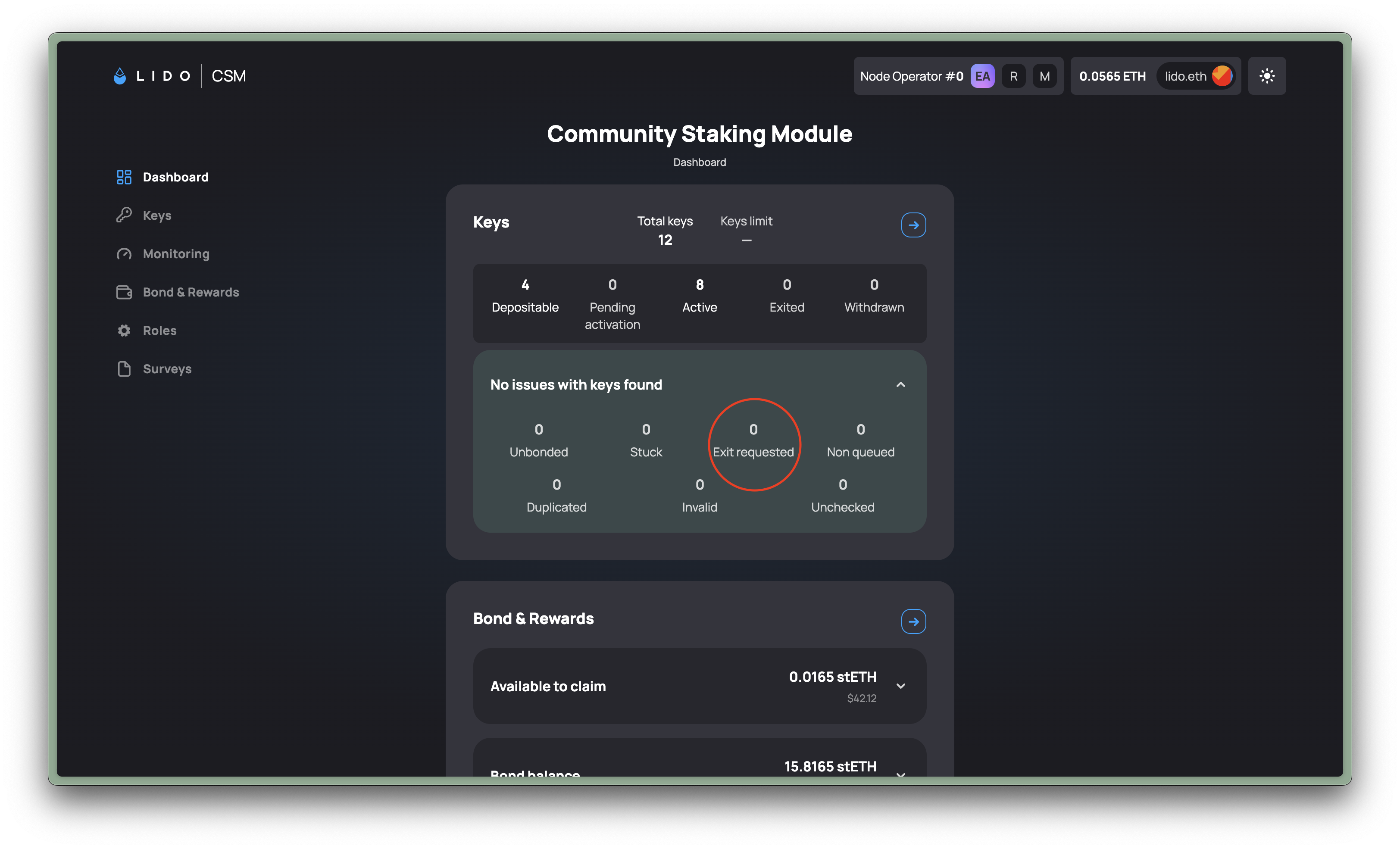
There are 3 reasons why CSM operators can receive an exit request from the Lido Protocol:
- If the protocol needs ETH to fulfill stETH withdrawal requests. Note that because of how the protocol works withdrawal requests will, for the most part, be requested from bigger modules like the Curated Module first.
- If you have unbonded validators you're required to either top up the bond, or exit the validator.
- If a validator accumulated enough strikes for performing below the threshold, it can be ejected for bad performance.
If you do not exit the validator within the allowed delay for your operator profile, an exit delay charge is applied to your bond once the validator withdraws. The protocol can also force the exit from the Execution Layer, and the withdrawal request fee is charged to you as well. See Penalties for the amounts that apply to your profile.
You can read more about exits here.
Notifications for exit requests
You can also subscribe to notifications for exit requests from Lido using the CSM Sentinel Telegram bot.
Quick start:
- To use the hosted version, click here for Mainnet or here for Hoodi. Alternatively, search for the "CSM Sentinel" bot on Telegram and open a chat with it
- Type
/startand send - Select the
Followoption - Enter your CSM Operator ID. This can be found at the top of the CSM Widget after connecting your wallet.
This video guide covering how to set this up starts at 4:02 minutes.
How to Exit Keys and Withdraw Your Bond
- Sign & broadcast an exit message for each validator key you want to exit. See Exit using validator keystores for the per-client commands.
- Wait for the validator key to be fully exited on the beacon chain. Check your validator pubkey on beaconcha.in.
- Connect your wallet address to the Lido CSM Widget (Mainnet / Testnet).
- Navigate to Keys » View Keys to verify that the status of your validator key is marked as Withdrawn.
- Navigate to Bond & Rewards » Claim to claim your deposited bond and any accumulated rewards.
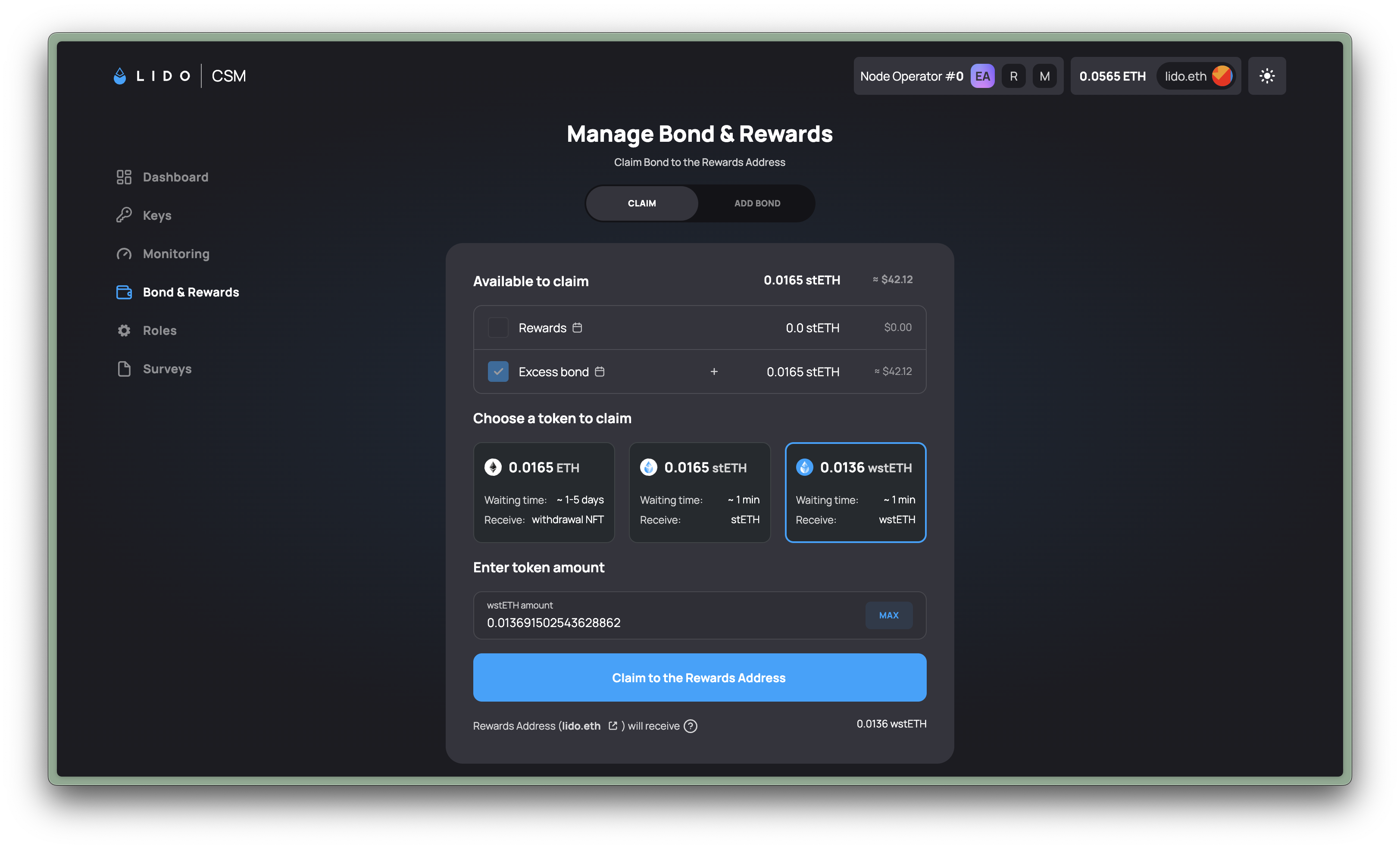
The stake deposited by the protocol returns to the Lido Protocol, not to you. In 0x01 CSM that is the 32 ETH used to activate each validator key. In 0x02 CSM it is the validator's full balance, which can be up to 2,048 ETH after top-ups. Meanwhile, CSM Operators get their ETH-based bond deposits back from the Lido CSM Contract.