🎁 Rewards & Bonds
Dashboard
How to get here
- Go to the Lido CSM Widget
- Mainnet: https://csm.lido.fi/
- Hoodi: https://csm.testnet.fi/
- Select the BOND & REWARDS section in the navigation bar
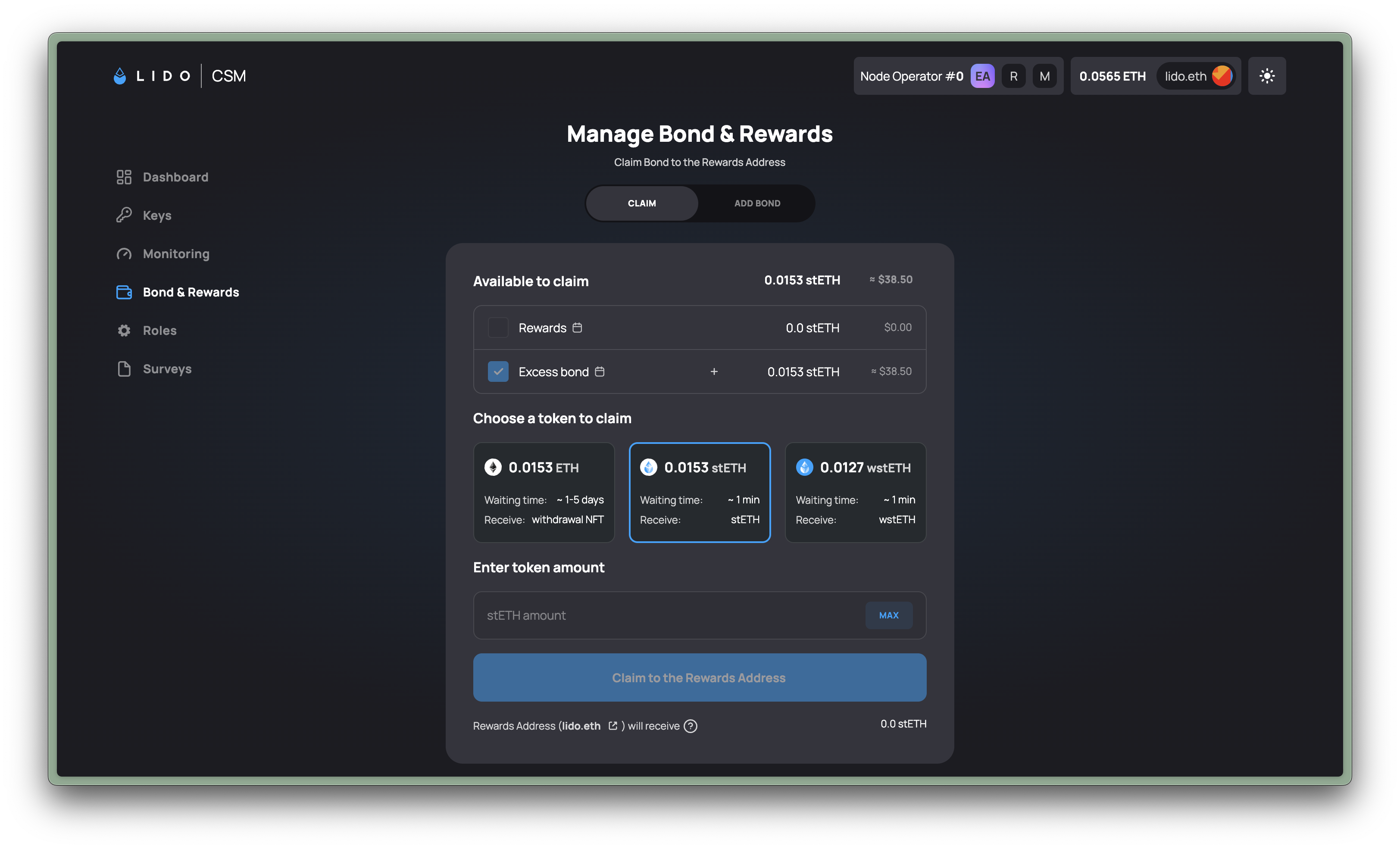
Claim tab
Here, you will see your net rewards and bond claimable in aggregate and broken down into its individual parts. Note that Locked bond is also deducted from your aggregate rewards here.
You will also be able to claim your net rewards + bond in total or in individual parts if you wish, and select among 3 token types to receive: ETH (in the form of a Withdrawal NFT) / stETH / wstETH.
Add Bond tab
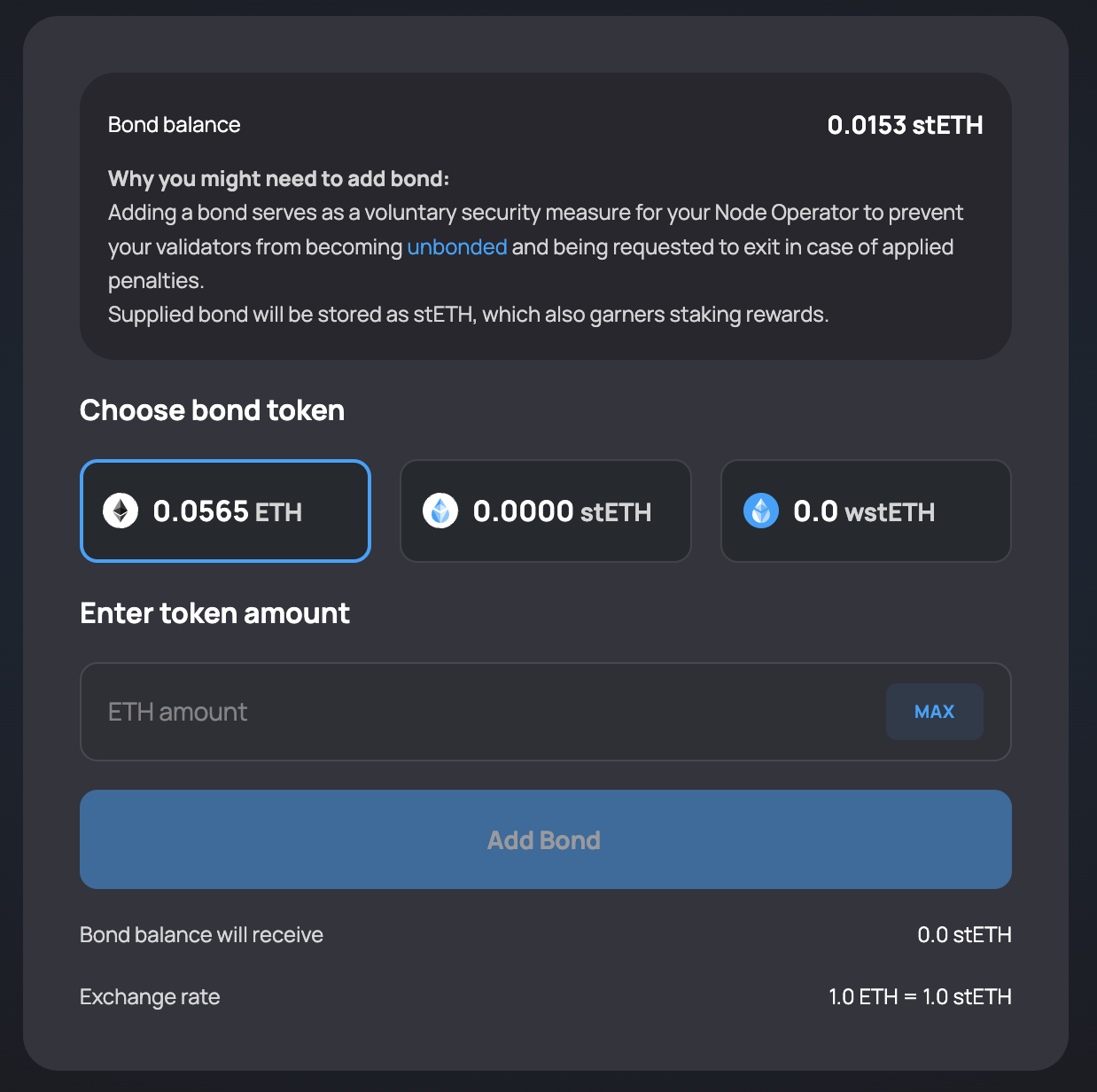
There are 2 activities you can perform here:
- Review the balance of your total bond provided and the excess/insufficient bond amounts.
- Add more bond so that you can get more of your uploaded validator keys deposited by the CSM or top up any shortages due to poor performance or slashing events. Read more on bond penalties.
Once your excess bond amount is sufficient for new validator keys to be deposited, the Keys available to upload will increase.
On the other hand, if your bond falls below the required minimum, the unbonded keys count will increase.
The required minimum bond amount is based on the amount of keys in your operator (including both deposited and non-deposited). Exiting your CSM-deposited keys will not unlock your Locked bonds.
At this point, there are 2 options you can take:
- Top up your bond amount under the ADD BOND tab
- Wait for new rewards to replenish the bond amount until it is back to the required level
You cannot replenish Locked bonds using the ADD BOND feature.
Unlock Bond tab
This tab allows you to replenish your Locked bonds due to MEV theft and resume the accruing of your CSM operator rewards.
Rewards splitter
CSM v3 includes an optional built-in rewards splitter. It lets a Node Operator route a percentage of their Node Operator rewards to as many as 10 additional recipient addresses without deploying a separate splitter contract.
- Split recipients receive stETH only.
- The splitter applies to Node Operator rewards only. Bond rebase rewards are not split.
- Any share not assigned to additional recipients remains in the Node Operator's bond.
- Claiming is permissionless: anyone can trigger the claim, but funds can only go to the configured recipients.
Configure reward splits
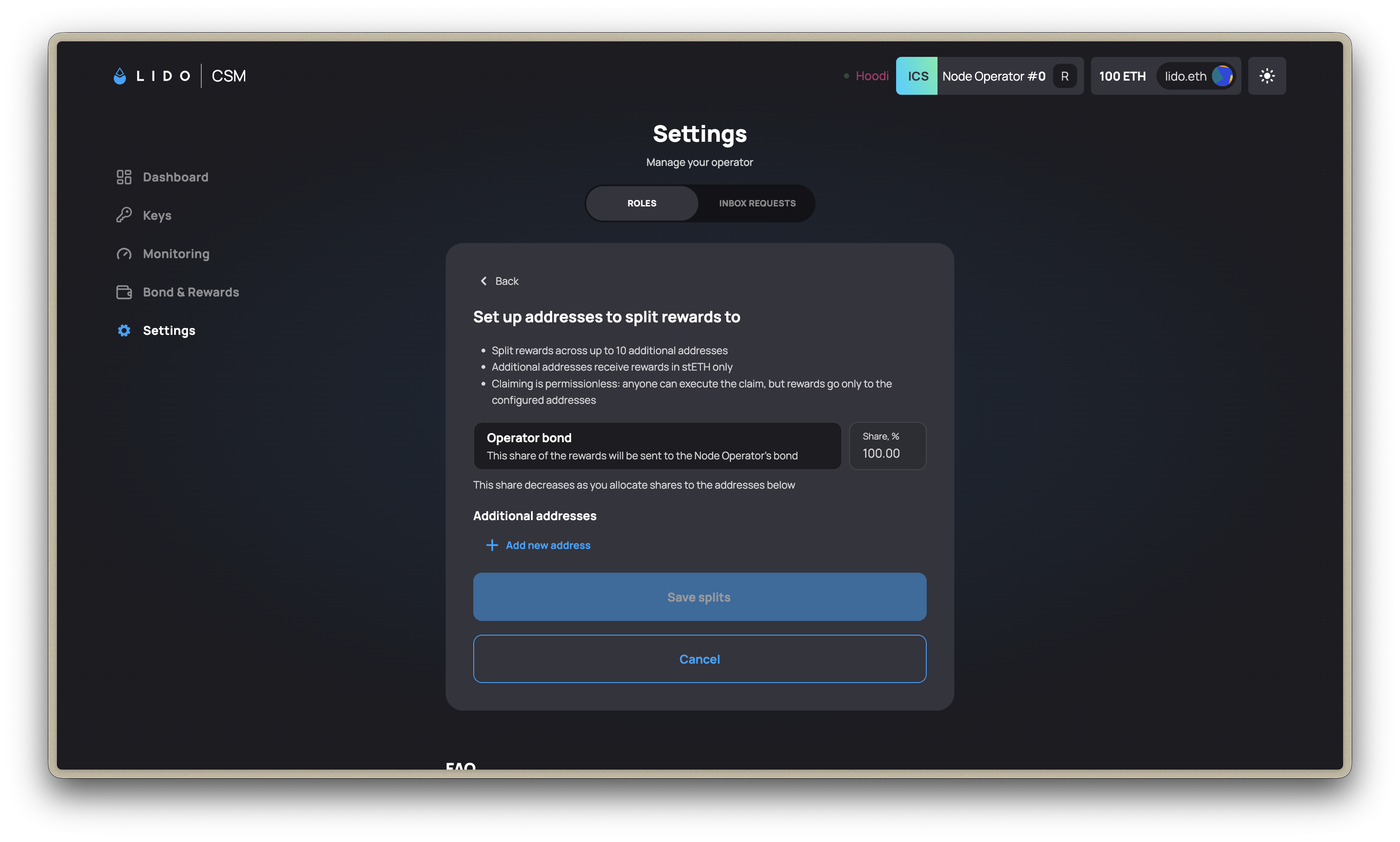
- Open the CSM Widget settings on Mainnet or Hoodi.
- Select Rewards splitter and choose Set up splits.
- Add each recipient address and its percentage. The combined recipient share cannot exceed 100%.
- Review the remaining share assigned to the Node Operator's bond, then confirm the transaction.
Review every recipient address and percentage carefully before confirming. If you configure splits before the Node Operator's first rewards distribution, you cannot edit them until that first distribution occurs. Afterward, splits can only be edited when there are no unclaimed rewards or pending shares to distribute.
Resources
| Category | Navigation |
|---|---|
| Bond & Rewards | CSM Operator Portal: "Economics" section |
| Penalties | Penalty and charge types, amounts per operator profile, and what to do |