🔀 Managing 0x01 and 0x02 Operators
The CSM interface identifies your Node Operators by the connected wallet address, not an account login. If you change a Manager or Rewards address, reconnect with the new address to keep managing that operator.
Both 0x01 CSM and 0x02 CSM are managed from the same CSM Widget, and a single wallet can hold one operator in each module. Keys, bond, rewards, and allocation are tracked separately for each.
My operators
How to get here
- Go to the Lido CSM Widget
- Mainnet: https://csm.lido.fi/
- Hoodi: https://csm.testnet.fi/
- Select the My operators section in the navigation bar
This is where you see and manage all the operators associated with your wallet. In the summary you can see:
- Active validators and stake across your operators
- Total rewards available to claim
- Combined bond balance
- If there are any issues that require your immediate attention
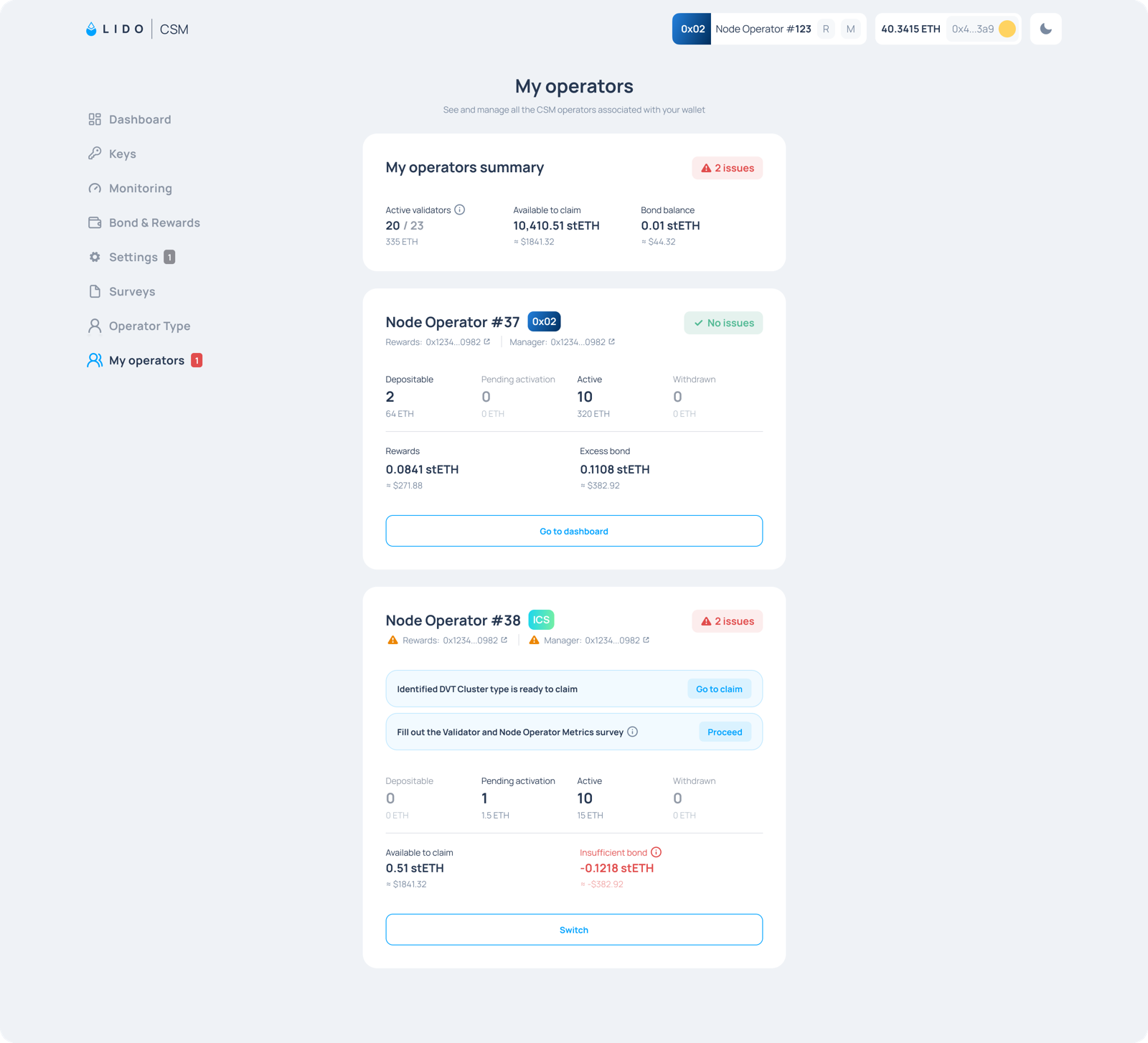
You'll see a card for each of your operators, showing its type, Manager and Rewards addresses, keys, and claimable rewards. In case there are pending actions you'll see them in the cards as well.
If you run only one of the modules, you can create your operator for the other one from here.
Switching between operators
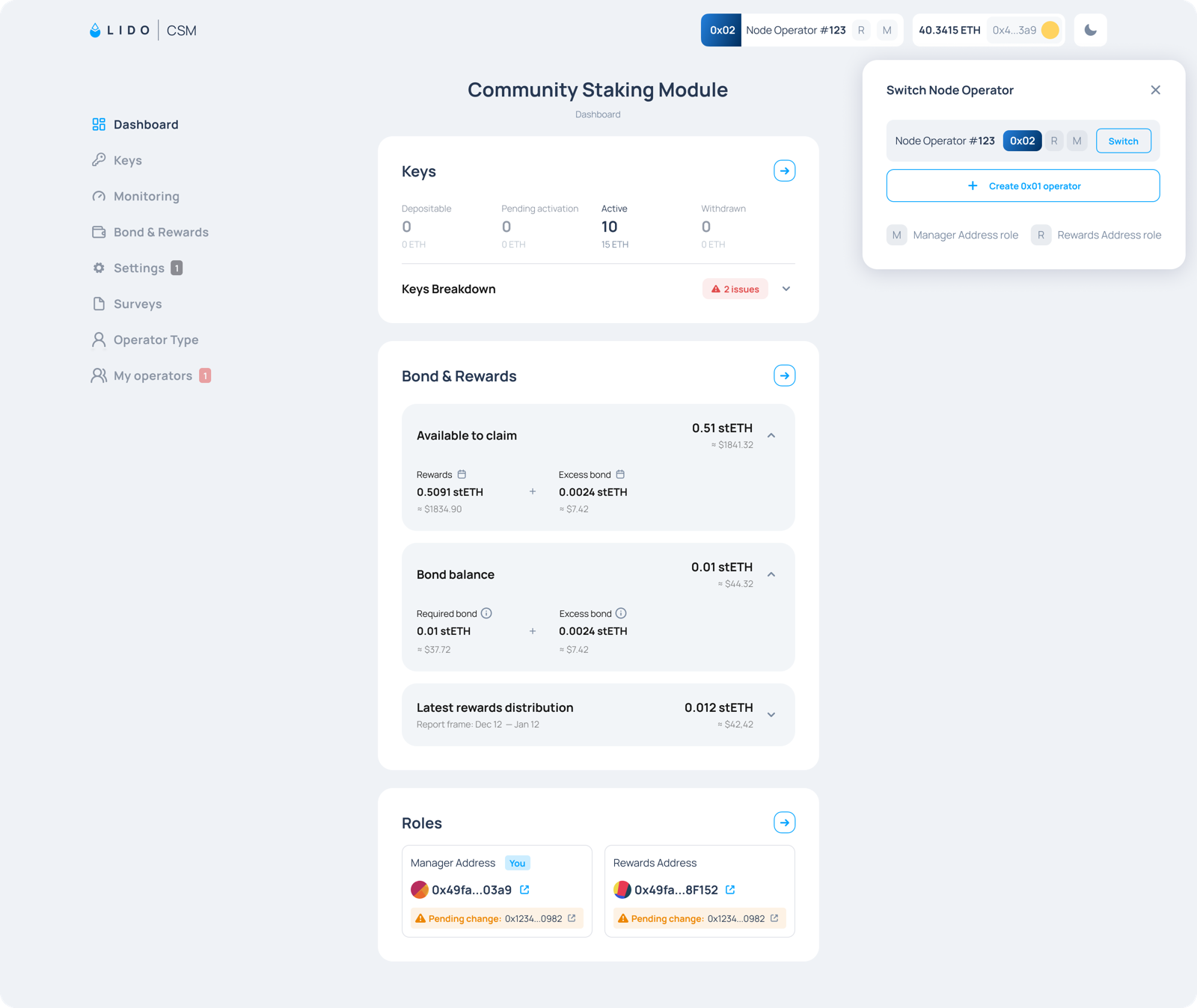
You don't need to go back to My operators to change the operator you are working on. The operator chip in the top bar shows the operator you are currently viewing, its type, and whether your connected address holds the Manager (M) or Rewards (R) role for it.
Select the operator chip at the top right from any page in the widget to see all the Node Operators associated with the connected address, then select the operator you want to manage. Every section, including Keys, Bond & Rewards, and Roles, then applies to that operator.