Supply/Withdraw ETH, Mint/Repay stETH
These four operations are the everyday lifecycle of a Basic stVault: the Vault Owner supplies ETH into the stVault, mints stETH against it, repays the stETH, and withdraws the ETH back out.
All four are permissioned on the Dashboard contract. By default the Vault Owner can perform all of them; each can be delegated separately to one or more addresses.
| Operation | Role |
|---|---|
| Supply (fund) | FUND_ROLE |
| Withdraw | WITHDRAW_ROLE |
| Mint | MINT_ROLE |
| Repay (burn) | BURN_ROLE |
An address holding DEFAULT_ADMIN_ROLE can perform all of them without granting itself the sub-roles — see Roles and permissions.
Withdrawing and minting depend on the current stVault state. Make sure a fresh oracle report is applied to your stVault before you start — see Apply oracle reports.
Supply ETH
Supplying (funding) adds ETH to the stVault balance. It has no upper limit and does not depend on the oracle report.
using stVaults Web UI
Open the Supply / Withdraw section of your stVault.
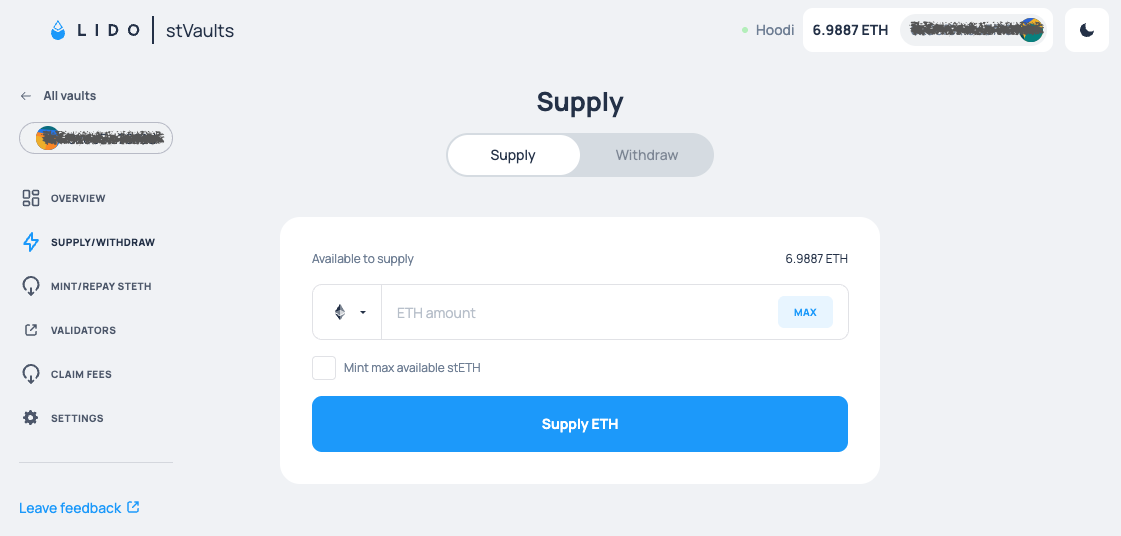
You can choose which token to supply — ETH or wETH. Selecting the checkbox mints all the available stETH immediately after supplying.
using Command-line Interface
yarn start vo w fund <amount>
The amount is in ETH. Add -v, --vault <address> to target a specific stVault, otherwise the CLI prompts you to pick one.
See details and examples.
using Etherscan UI
- Open Etherscan and navigate to the Dashboard contract — find its address on the Per-setup addresses page.
- Call
fund, putting the amount of ETH into the payable field.
Withdraw ETH
Withdrawing moves ETH from the stVault balance to a recipient address.
To be withdrawable, ETH has to be both:
- Liquid — sitting on the stVault balance, not on validators. ETH on validators must be withdrawn from the Beacon Chain first.
- Unlocked — not reserved as collateral for the stETH liability, as the minimal reserve, for pending Lido redemptions, or for unpaid fees.
See Metrics for the full breakdown and where to find the current number.
using stVaults Web UI
Open the Supply / Withdraw section of your stVault. You can specify a destination address for the withdrawal, and choose whether to receive ETH or wETH.
using Command-line Interface
yarn start vo w withdraw <amount>
The amount is in ETH. Add -r, --recipient <address> to send the ETH somewhere other than your own address, and -v, --vault <address> to target a specific stVault.
See details and examples.
using Etherscan UI
- Open Etherscan and navigate to the Dashboard contract by its address.
- Call
withdrawableValueto check how much ETH is available. - Call
withdraw, passing the recipient address and the amount in wei.
Mint stETH
Once ETH is supplied, stETH can be minted against it on demand. Unlike Lido Core, stVaults allow minting only within the stVault's stETH minting capacity.
Three flavours are available, all of them payable so funding and minting fit in one transaction:
| Method | Mints |
|---|---|
mintShares | stETH shares |
mintStETH | stETH tokens (rebasing) |
mintWstETH | wstETH tokens (non-rebasing), wrapped automatically |
Each takes a recipient address, so minted tokens can go straight to another address. This may be useful for Vault Owners with restrictions on which tokens can appear on their balance sheets.
using stVaults Web UI
Open the Mint / Repay section of your stVault.
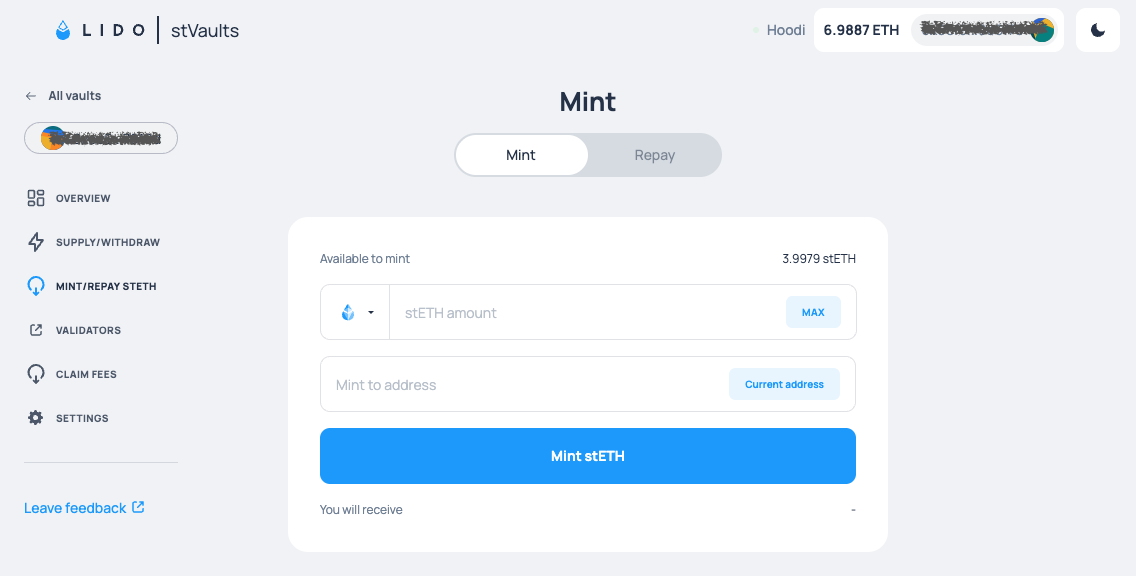
You can specify an address to receive the minted tokens and choose which token to mint: stETH or wstETH.
using Command-line Interface
yarn start vo w mint-shares <amount>   # alias: mint
yarn start vo w mint-steth <amount>
yarn start vo w mint-wsteth <amount>
See details and examples.
using Etherscan UI
- Open Etherscan and navigate to the Dashboard contract by its address.
- Call
mintShares,mintStETHormintWstETH, passing the recipient address and the amount in wei.
Repay (burn) stETH
Repaying burns stETH and decreases the stVault's stETH liability, which frees up the collateral that was backing it.
| Method | Burns |
|---|---|
burnShares | stETH shares |
burnStETH | stETH tokens |
burnWstETH | wstETH tokens |
The tokens are pulled from the caller's address, so the Dashboard contract needs an allowance first: approve stETH for burnShares and burnStETH, or wstETH for burnWstETH.
The allowance is always denominated in tokens, never in shares. When repaying with burnShares, approve the stETH value of those shares — getPooledEthByShares(shares). The two differ because one share is worth more than one wei of stETH, and the gap grows with every oracle report (learn more about shares and stETH / wstETH tokens).
The ETH released by the repayment is unlocked only once the next oracle report confirms the repaid amount — it does not become withdrawable in the same transaction.
using stVaults Web UI
Open the Mint / Repay section of your stVault and choose which token to repay: stETH or wstETH.
using Command-line Interface
yarn start vo w burn-shares <amount>   # alias: burn
yarn start vo w burn-steth <amount>
yarn start vo w burn-wsteth <amount>
The CLI checks your current allowance before repaying. If it is insufficient, it shows the current allowance and offers to send the approve transaction for you, so no separate approval step is needed.
See details and examples.
using Etherscan UI
- Open Etherscan and navigate to the stETH or wstETH token contract — find the addresses on the Environments page.
- Call
approve, passing theDashboardcontract address and the amount in wei you want to allow it to pull. - Once the approval is confirmed, navigate to the Dashboard contract by its address.
- Call
burnShares,burnStETHorburnWstETH, passing the amount in wei.