Apply Oracle Reports
Before minting stETH or performing other operations that depend on current stVault state, the protocol needs the latest available data. LazyOracle allows anyone to apply the latest report to a specific stVault on demand.
Why apply a fresh report?
The stVault's state (total value, mintable stETH capacity, health factor) is updated through oracle reports. These reports are published periodically, but applying them to your specific stVault is a separate, permissionless action. Fresh data is required for:
- minting stETH,
- withdrawing ETH,
- rebalancing,
- changing tiers,
- resuming beacon deposits,
- partial validator withdrawals,
- settling Lido fees,
- disconnecting the stVault.
Many stVault operations (except funding and burning shares) will revert if the report is stale. When you are not sure why your operation reverts, apply a fresh report first.
How it works
- The AccountingOracle publishes a Merkle tree root containing data for all stVaults
- You get your stVault's data and proof from IPFS using the published CID
- You submit the data and proof to the LazyOracle contract
- LazyOracle verifies the proof and updates your stVault's state in VaultHub.
This is a permissionless operation — anyone can apply a report to any stVault.
using stVaults Web UI
The Web UI applies a fresh report automatically whenever an operation needs one — supplying, withdrawing, minting, repaying, rebalancing, disbursing the fee, tier changes and validator operations all prepend the report update to the same transaction batch. No manual action is required in most cases.
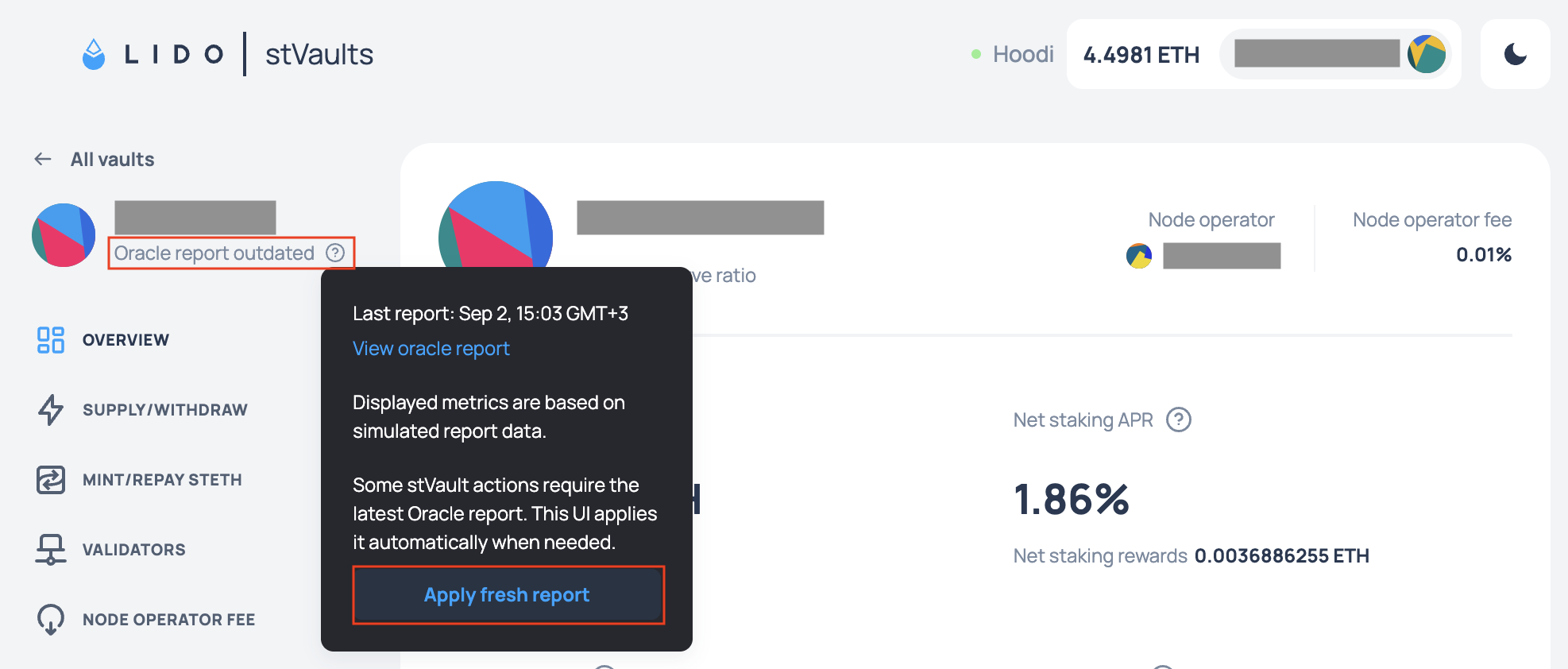
The report status is shown in the navigation, next to the current stVault address: Oracle report up to date or Oracle report outdated. The question mark next to it opens the details — the timestamp of the last report, a link to view it on IPFS, and, while the report is stale, an Apply fresh report button to submit it manually.
using Command-line Interface
Apply the latest report to your stVault:
yarn start report w submit -v <vaultAddress>
The CLI automatically:
- fetches the latest report CID from LazyOracle,
- retrieves the Merkle tree from IPFS,
- generates the proof for your stVault,
- submits the transaction.
using Etherscan UI
Applying a report via Etherscan requires manually fetching the proof data from IPFS. For most users, the CLI or Web UI is recommended.
- Open Etherscan and navigate to the LazyOracle contract — find its address on the Environments page.
- Call
latestReportDatato get the currentreportCid. - Fetch the Merkle tree JSON from IPFS:
https://ipfs.io/ipfs/<reportCid> - Locate your stVault's entry in the tree and copy its values and proof.
- Call
updateVaultData, passing the stVault address, the values from the tree and the proof.
Checking report freshness
You can check when your stVault's report was last updated:
using stVaults Web UI
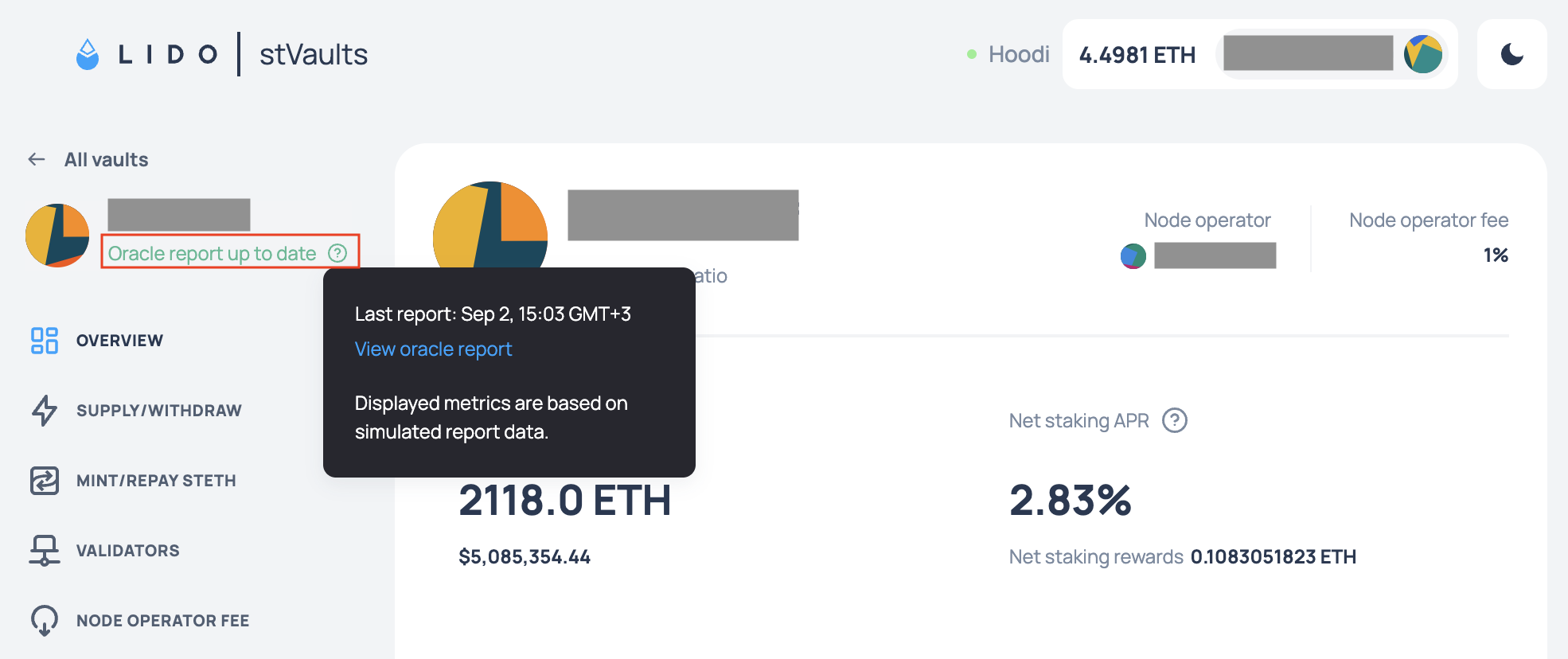
The report status is shown in the navigation, next to the current stVault address: Oracle report up to date or Oracle report outdated. The question mark next to it opens the details — the timestamp of the last report, a link to view it on IPFS, and, while the report is stale, an Apply fresh report button to submit it manually.
using Command-line Interface
yarn start vo r info -v <vaultAddress>
This displays the stVault's current metrics including the last report timestamp.
using Etherscan UI
- Open Etherscan and navigate to the LazyOracle contract — find its address on the Environments page.
- Call
latestReportTimestampto see when the latest report was published. - Call
vaultInfo, passing your stVault address, to see its current on-chain metrics.
You can use any online UNIX timestamp converter to get the human readable datetime format.