⚙️ Creating & Managing Node Operators
This page covers how to create a Node Operator, what happens immediately after creation, and how to use the operator dashboard day-to-day. It also covers what is fixed at creation and cannot be changed later.
Node Operator creation
Creating a Node Operator
You create NOs through the CM widget. Each one has a type assigned at creation which can only be changed via a full on-chain vote. It affects your bond requirement, reward share, and stake allocation weight.
Node Operator creation is performed through the CuratedGate for the assigned operator type. Gate addresses are listed in Deployed Contracts.
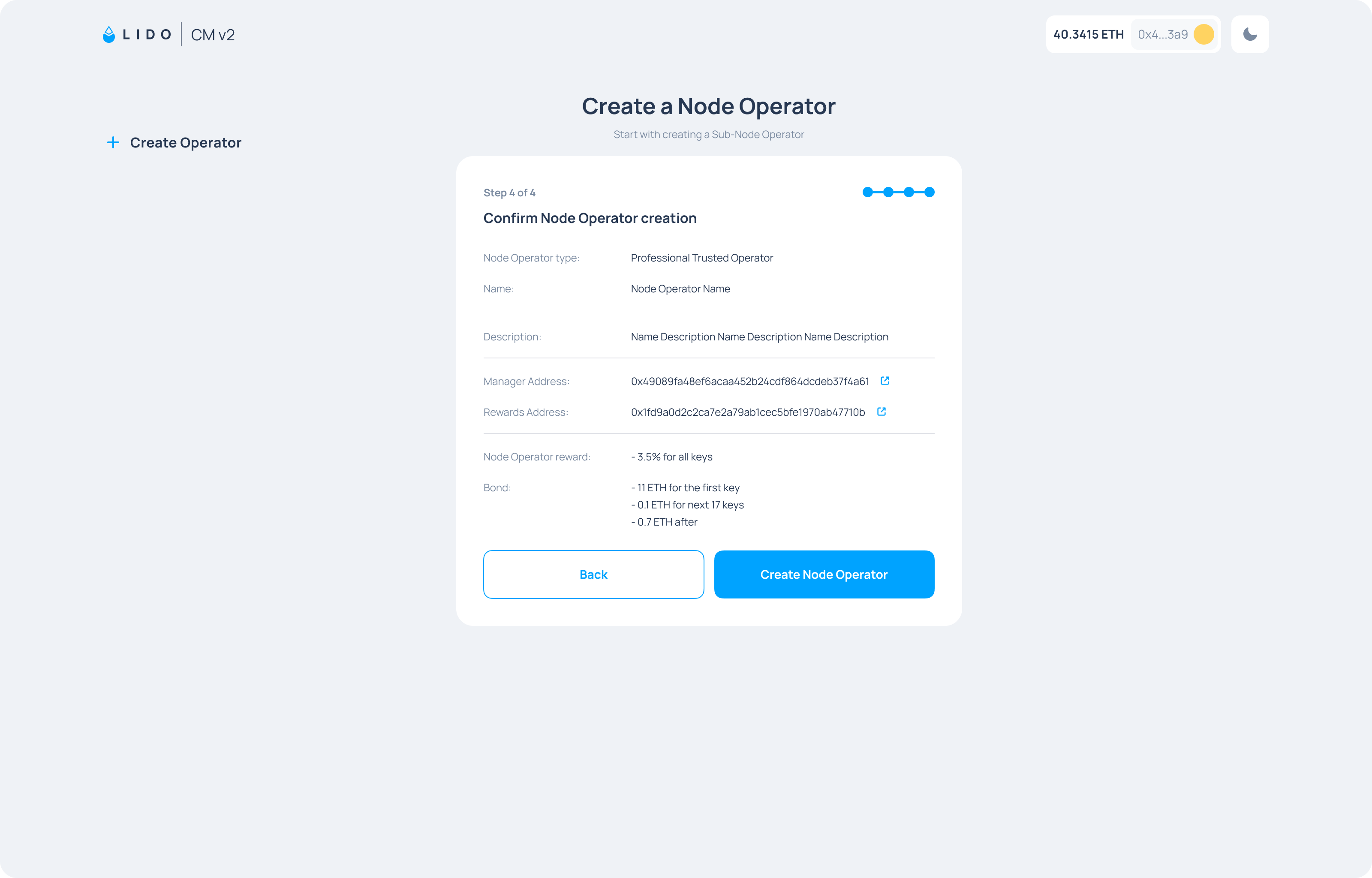
The creation flow has four steps:
- Select your NO type. Choose from the list of NO types previously set by the CMC. See Node Operator Types for details on each type.
- Set a Manager Address and a Rewards Address. These are separate addresses. The manager address handles key uploads, operational actions, and can change rewards address. The rewards address receives your earned rewards.
We recommend both Manager and Rewards Addresses to be highly secure, and preferably multi-signature wallets. Compromise of either address can result in loss of funds and, in the case of the Manager Address, loss of operational control over the Node Operator.
- Add a name and description. The name identifies your sub-Node Operator in the dashboard and in the Operator Group view. These can be edited later.
- Review and confirm. Check all details before submitting.
After creation
After your transaction is confirmed, the CMC adds your NO to an Operator Group via an Easy Track motion, which takes at least 3 days to be enacted if there are no objections, and assigns a share allocation weight within the group.
Your operator type is set at creation and can only be changed through a DAO vote. The type is written into the on-chain record at the moment the CuratedGate transaction is submitted.
Node Operator management
The dashboard
Once your NO is active, connect your Manager Address to the CMv2 widget on Mainnet or Hoodi to access the operator dashboard. The dashboard is organized into tabs in the left sidebar, each covering a different area of your operator.
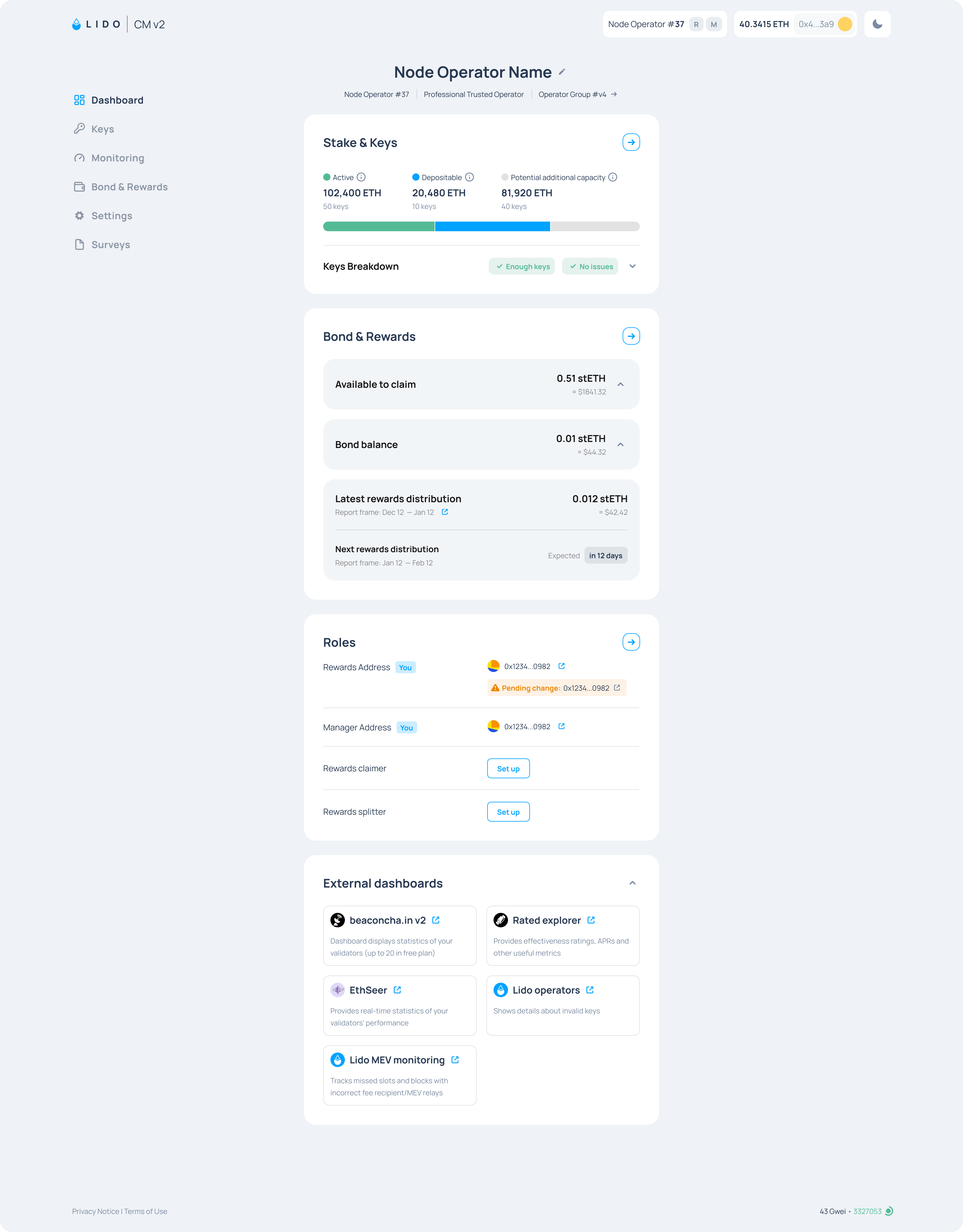
The sidebar tabs are:
- Dashboard: overview of your NO with stake & key information (active, depositable and potential capacity), bond balance, claimable rewards, role addresses, and key operational status.
- Keys: upload new deposit data and view the current status of all your keys.
- External Resources: links to external monitoring tools and dashboards.
- Bond & Rewards: detailed view of your bond balance, claimable rewards, rewards splitter and claim history.
- Roles: update your manager address, rewards address, rewards claimer, and survey submitter.
- Surveys: periodic infrastructure setup & configuration surveys. Responses are used in the VaNOM reports.
Managing multiple sub-NOs
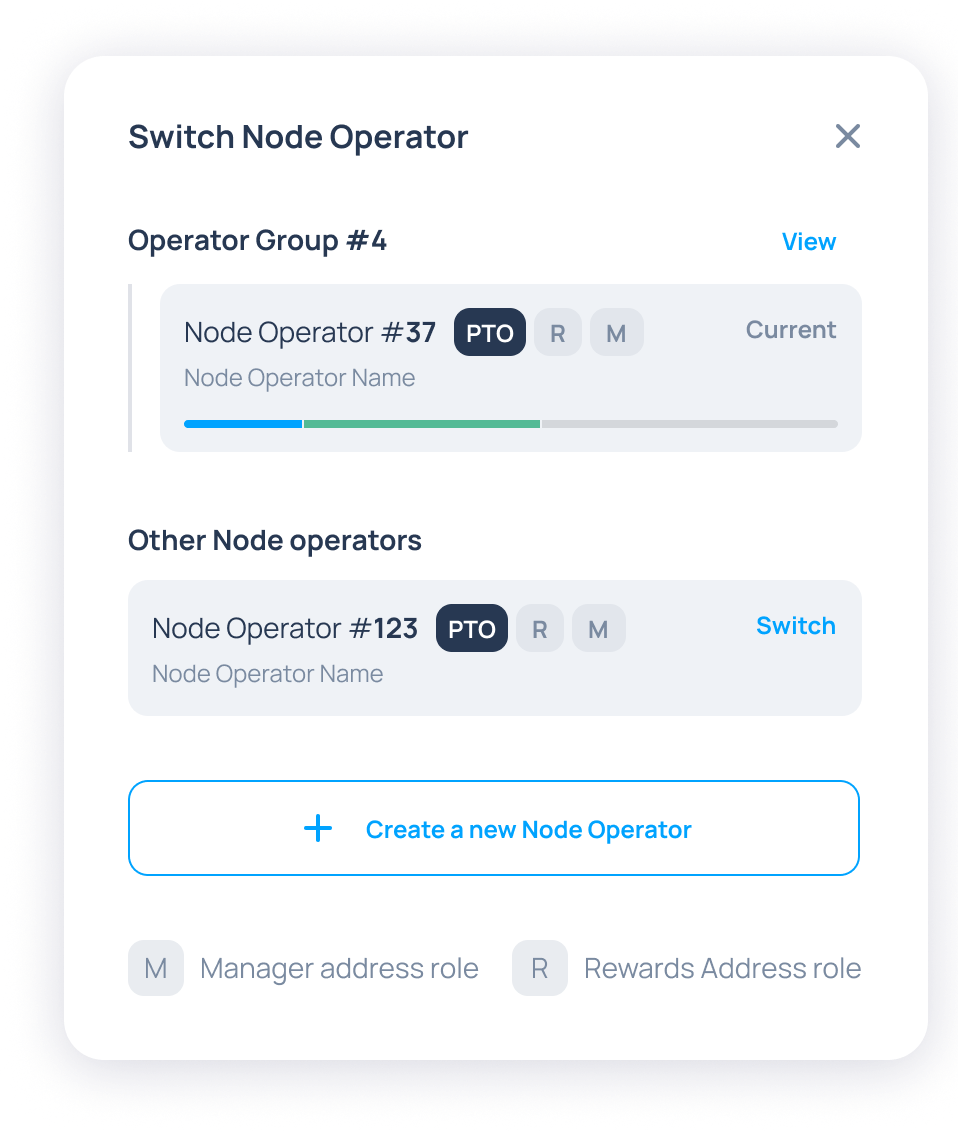
If you operate more than one NO using the same address, you can switch between them using the Switch Node Operator dropdown in the top right of the dashboard.
Each NO has its own keys, bond balance, and role addresses.
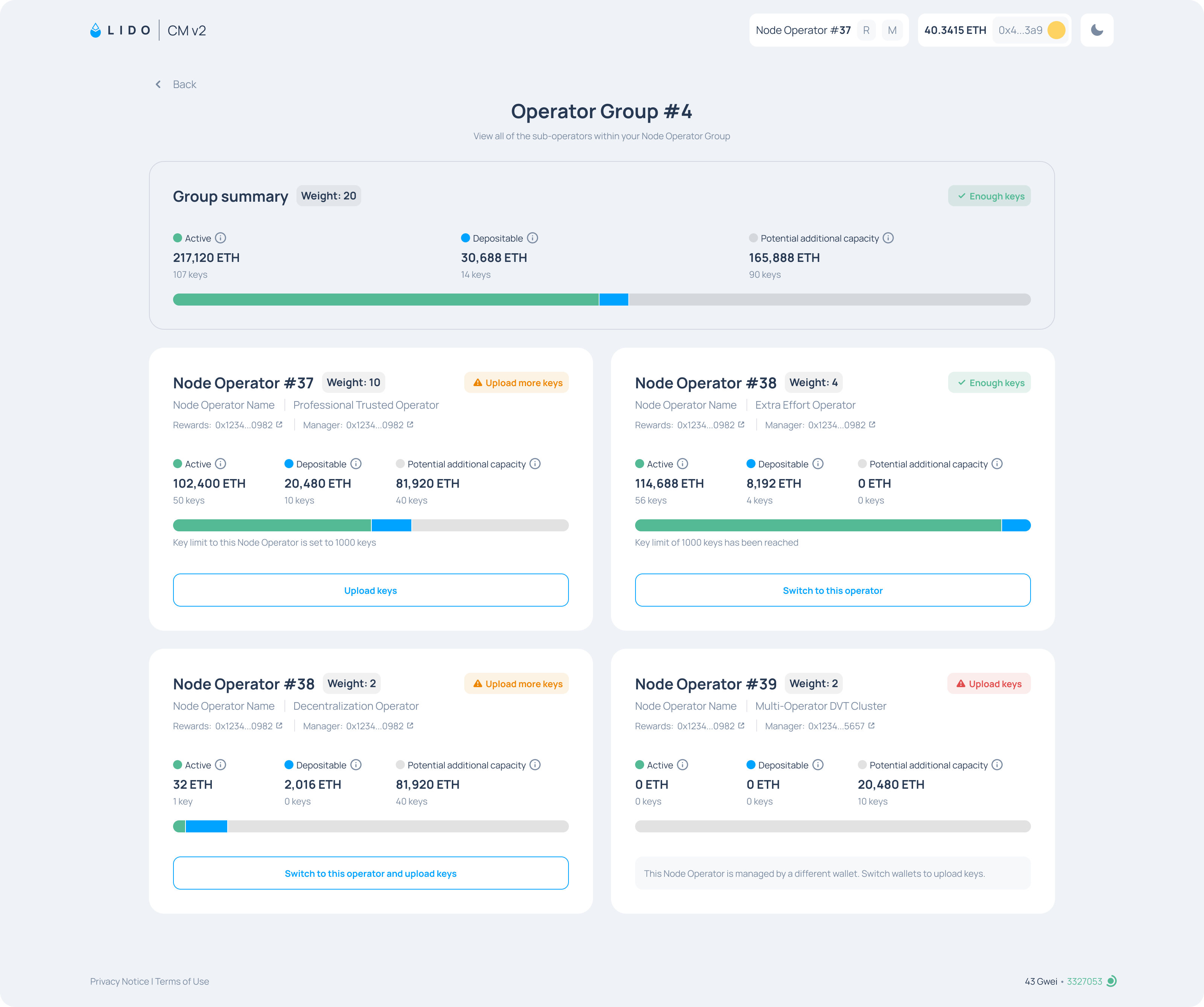
Operator Group view
The Operator Group view shows all NOs in the group, their types, their share allocation, and their current key stats.