🔐 Bond & Key Management
This page covers how to upload and manage your validator keys, and how bond works in CMv2. Bond is collateral you post to activate new validators from keys provided and back them. The amount required depends on your Node Operator type and number of keys.
Key management
Uploading keys
Before uploading keys, generate your validator keys and deposit data using a tool such as the EthStaker Deposit CLI or your organization's standard key-generation process. Keys must use 0x02 (compounding) withdrawal credentials and point to the Lido Withdrawal Vault address.
See the Key Generation & Fee Recipient guide for detailed steps and addresses.
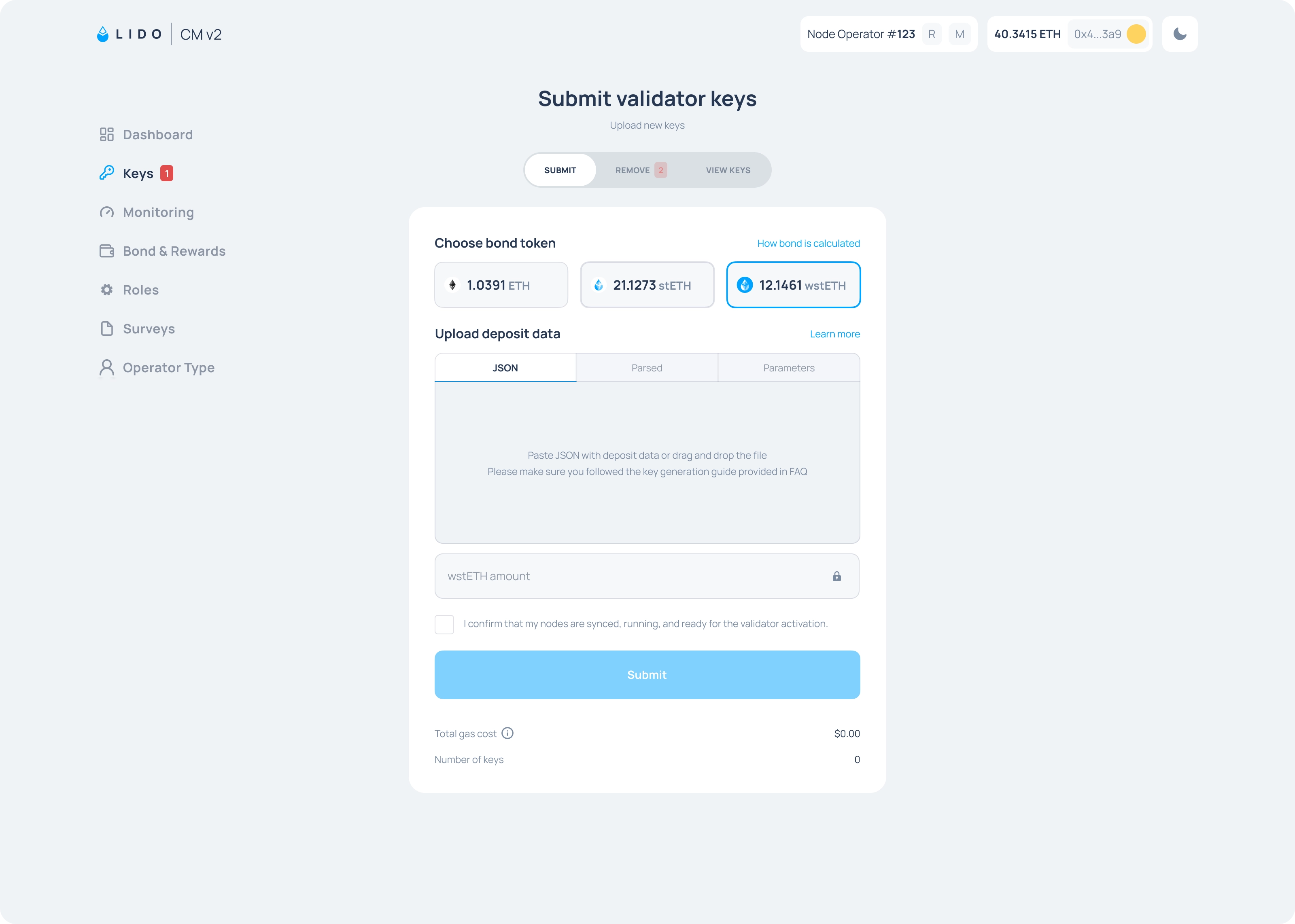
To upload the keys, open the Keys tab in the CMv2 widget on Mainnet or Hoodi, then drag and drop the deposit-data.json file. The widget will tell you how much bond is required for the number of keys submitted.
Keys with invalid signatures must be removed and re-uploaded with valid signatures. If a key has already been uploaded to Lido or used on the Beacon Chain, it is treated as duplicated and should be removed.
The Key statuses section below provides more information on all the possible states of your keys.
How deposits work
After valid keys are uploaded, they become eligible for deposits. Deposits in CMv2 happen in two stages:
- Initial deposit: a validator first receives its initial 32 ETH deposit to get activated.
- Top-ups: after activation, the same validator may later receive top-ups, up to a maximum effective balance of 2,048 ETH.
CMv2 does not deposit validators in simple upload order. When new 0x02 keys are available, incoming ETH first goes to cover the 32 ETH initial deposits needed to activate them; the rest is used for top-ups. Active validators may receive top-ups over time until they reach 2,048 ETH.
These top-ups are determined by the module's weighted allocation algorithm, which prioritizes Node Operators that are furthest below their target stake allocation.
Key statuses
Each key inside your Node Operator has one of the following statuses.
| Status | What it means | What to do? |
|---|---|---|
| Depositable | Key is valid and bond is sufficient. Pending deposit from Lido Protocol | Maintain sufficient bond amounts and make sure your node is active and online |
| Pending activation | Key has been deposited and is awaiting activation on the beacon chain | Make sure your validator node is online and ready to perform duties |
| Active | Key is active on the beacon chain | Make sure your validator node is online to perform its duties |
| Exited | Key has been exited | — |
| Withdrawn | Key has been exited and ETH has been returned to the protocol | — |
| Unbonded | Bond is insufficient for this key, which can be Active or otherwise | Top up bond or remove/exit the key |
| Exit requested | An exit has been requested by VEBO but the validator has not yet exited | Exit the validator as soon as possible to avoid an Exit Delay Fee |
| Duplicated | Key has been uploaded twice either to the Lido protocol or Ethereum CL | Remove duplicate key |
| Invalid | Uploaded key has an invalid signature | Remove key and re-upload it with the valid signature |
Exiting keys
Read the Lido Standard Node Operator Protocol (SNOP) for Validator Exits before exiting any validator. It covers exit order, your obligations when processing requests, and what happens if you don't follow it.
Operators in the Curated Module can exit their keys through the following options:
Removing keys before getting deposits
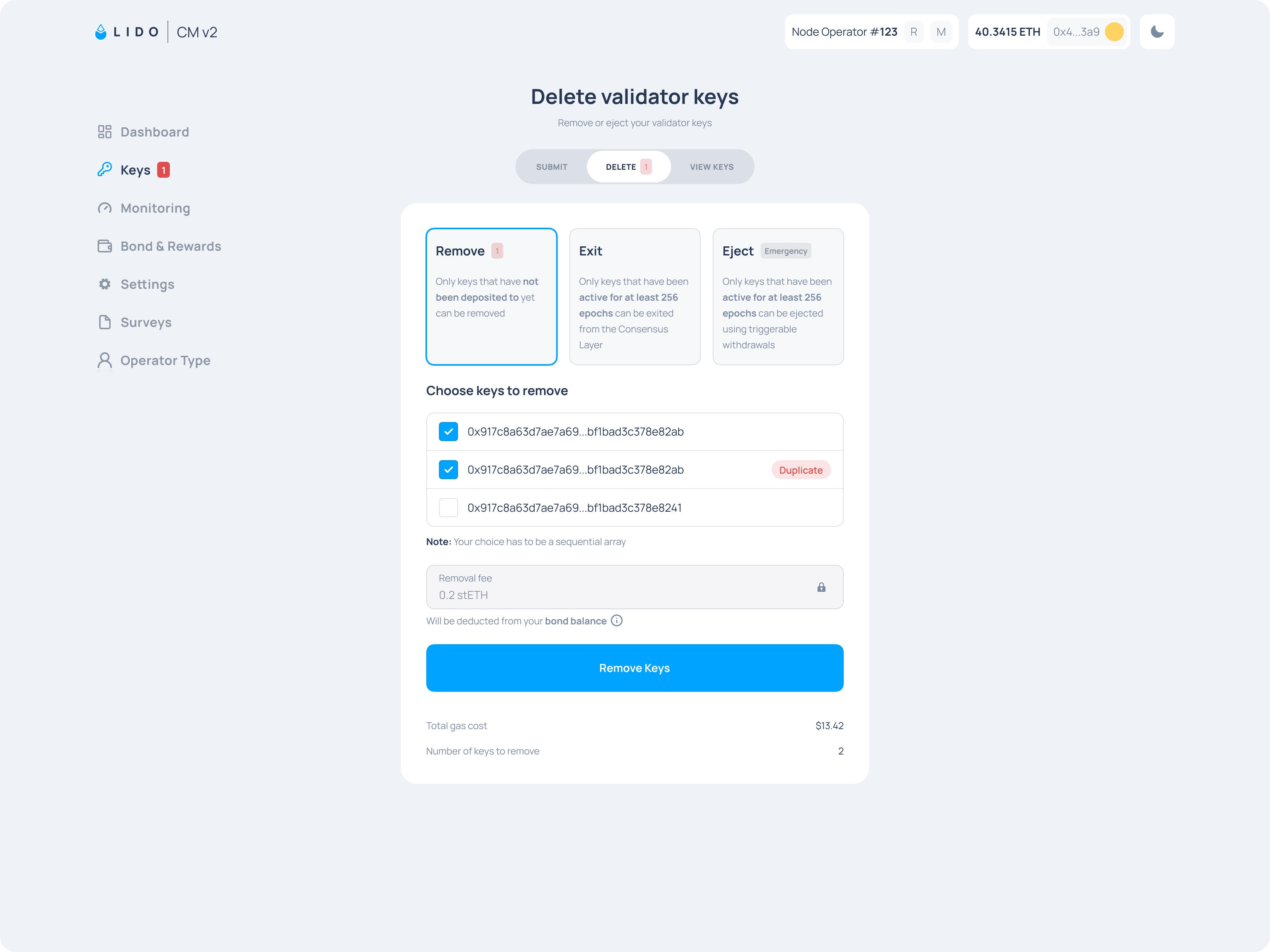
You can remove keys that have not yet received the 32 ETH initial deposit.
To remove them, go to the Keys section in the CMv2 widget and open the Remove tab.
Voluntary exit
Voluntary exits are appropriate when the protocol has requested an exit via the Validators Exit Bus Oracle to fulfill stETH withdrawal requests, or when you have insufficient bond to cover this key.
Please note this can't be done in the CMv2 widget, it can only be done through your validator client.
Exiting validators outside of a protocol-requested exit is discouraged. If you plan to exit validators without a prior exit request, notify the CMC and the community in advance using the Node Operators category of the Lido Research Forum.
Ejection (triggerable withdrawals)
Through the CMv2 widget, you can force-exit an active validator directly from the Execution Layer using EIP-7002 triggerable withdrawals. This is an emergency measure and incurs ejection fees.
It is recommended to use voluntary exits broadcast via CL in normal operations.
Bond basics
Curated Module v2 introduces a bond for sub-NOs. Every new key requires a certain amount of bond (described in the section below), and it's used to cover certain losses from the NO. The amount depends on the Node Operator type and number of keys.
Because the bond is staked (represented as stETH), it generates staking rewards which can be claimed if they exceed the minimum required for the amount of keys submitted.
Bond top-ups, claims, and locked bond operations are handled through the Accounting contract. Its Mainnet address is listed in Deployed Contracts.
Bond amounts
The required bond per key varies by Node Operator type.
| NO type | Bond (first key) | Bond (subsequent keys) |
|---|---|---|
| Professional Trusted Operator (PTO) | 11 ETH | 0.1 ETH next 17 keys, 0.7 ETH after |
| Professional Operator (PO) | 11 ETH | 1 ETH |
| Public Good Operator (PGO) | 11 ETH | 0.1 ETH next 17 keys, 0.7 ETH after |
| Decentralization Operator (DO) | 11 ETH | 0.1 ETH next 17 keys, 0.7 ETH after |
| Extra Effort Operator (EEO) | 11 ETH | 0.1 ETH next 17 keys, 0.7 ETH after |
| Intra-Operator DVT Cluster (IODC/IODC+) | 11 ETH | 0.1 ETH next 17 keys, 0.7 ETH after |
Locked bond
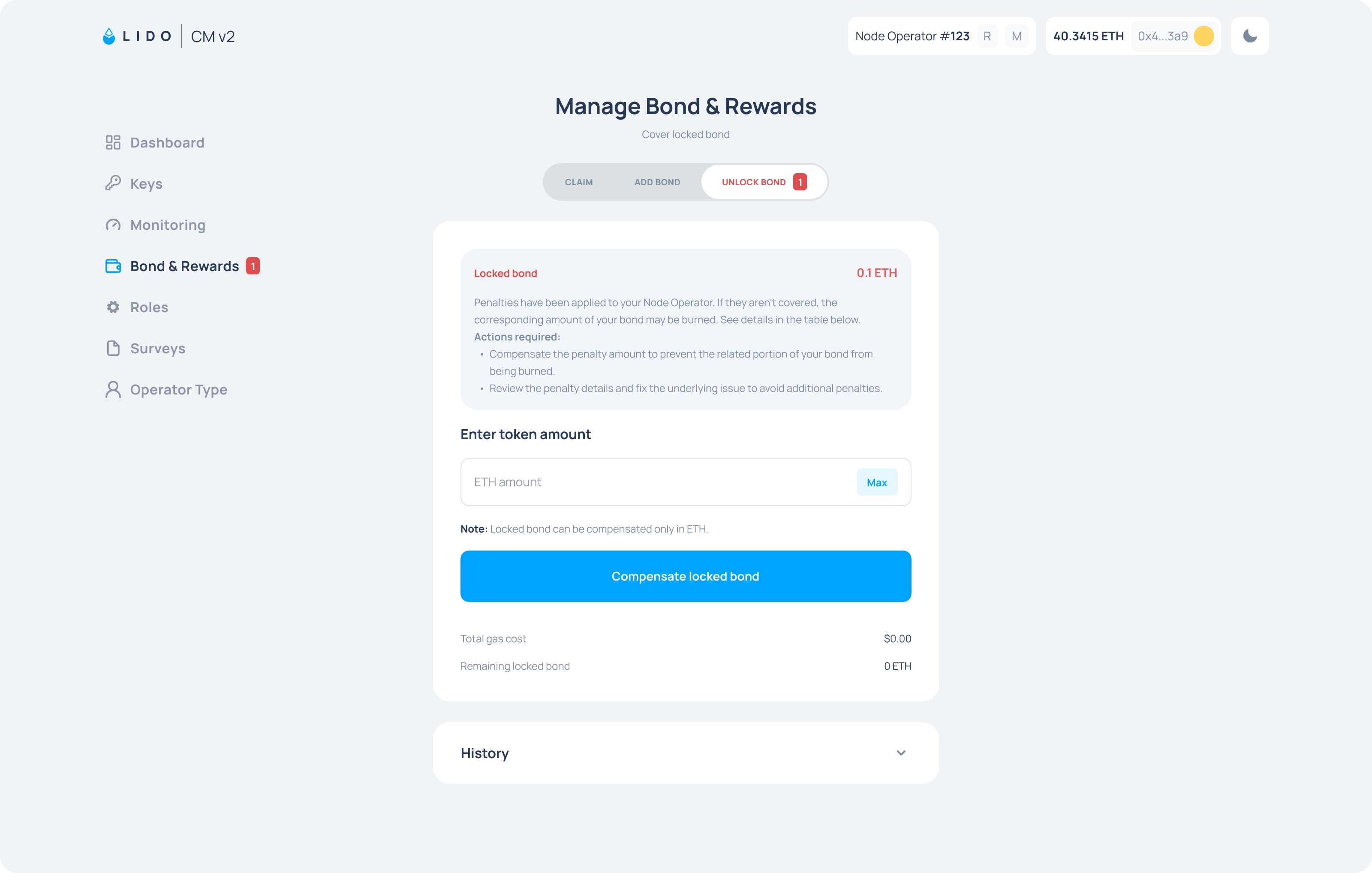
When a General Delayed Penalty is reported against your operator, the penalty amount plus a fixed fee is immediately locked in Accounting.sol.
You can compensate the penalty from your excess bond. If needed, top up your bond first so there is enough excess to cover the penalty, then compensate it through the interface.
If no further action is taken by the Curated Module Committee, the Node Operator can do a transaction to unlock it after the lock period of 60 days ends.
If you do not compensate a locked bond before the EasyTrack motion executes, those funds are permanently burned.
Penalty history
The CM interface also includes a penalty history section where you can review past penalties and actions recorded against your operator. For details on penalty types and how they are applied, see Penalties.
Unbonded keys
If your bond falls below the required minimum, some of your keys become Unbonded and will not receive new deposits; if the key was already deposited or active, an exit will be requested.
To solve this you can either top up the bond, or exit the key.